Features
Command Palette
Quick access to all actions with keyboard shortcuts
Command Palette
The command palette provides instant access to all data-peek features without leaving your keyboard.
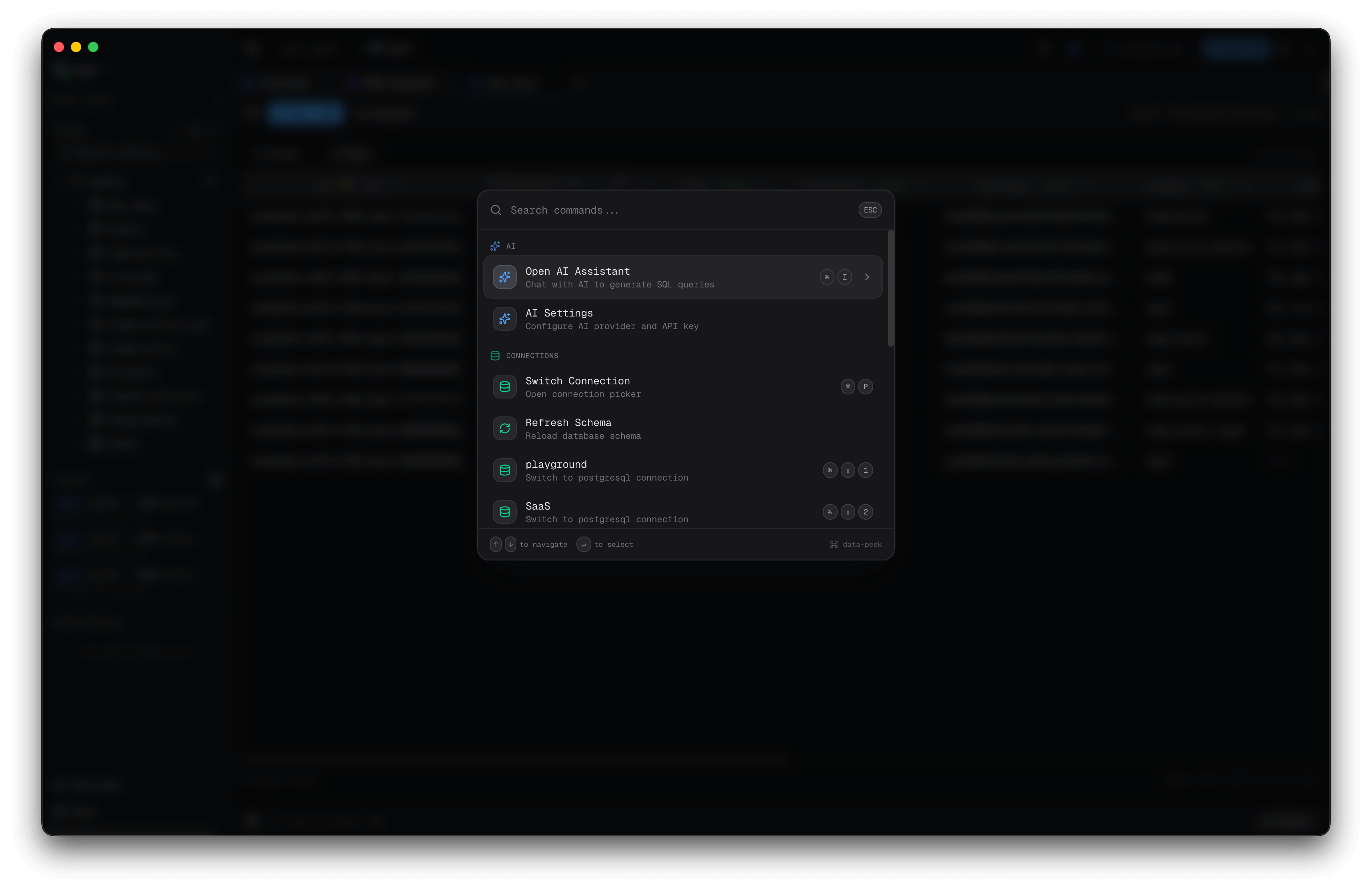
Opening the Command Palette
Press Cmd+K (macOS) or Ctrl+K (Windows/Linux) to open the command palette.
Features
Fuzzy Search
Type to filter commands. The search supports:
- Exact matches: Type the full command name
- Partial matches: Type any part of the command
- Acronyms: Type first letters (e.g., “nqt” matches “New Query Tab”)
Nested Navigation
Some commands open sub-menus:
- Connections → Switch, Add, Edit connections
- Saved Queries → Browse and select saved queries
- Appearance → Change theme
Use Backspace on an empty search to go back.
Available Commands
AI
| Command | Description |
|---|---|
| Open AI Assistant | Open the AI chat panel |
| AI Settings | Configure AI provider and API key |
Connections
| Command | Description |
|---|---|
| Connections | Open connections sub-menu |
| Quick switch | Switch to recent connections (shows top 3) |
| All Connections | Browse all saved connections |
| Edit Connection | Modify connection settings |
| Add New Connection | Create a new database connection |
| Refresh Schema | Reload schema from database |
Queries
| Command | Description |
|---|---|
| New Query Tab | Open a new query editor tab |
| Saved Queries | Browse and insert saved queries |
Navigation
| Command | Description |
|---|---|
| Settings | Open settings dialog |
| Toggle Sidebar | Show/hide the sidebar |
| Keyboard Shortcuts | View all shortcuts |
Appearance
| Command | Description |
|---|---|
| Change Theme | Open theme selector |
| Light | Switch to light theme |
| Dark | Switch to dark theme |
| System | Follow system theme |
Keyboard Shortcuts in Palette
The command palette shows keyboard shortcuts for commands that have them:
Cmd+T- New Query TabCmd+B- Toggle SidebarCmd+Shift+1-9- Quick switch to connection
Tips
Quick Connection Switching
The top 3 connections appear directly in the home view. Press Cmd+K, then type the connection name and press Enter.
Saved Queries Access
Navigate to Saved Queries to see all your bookmarked queries, organized by folder with pinned queries at the top.
Theme Switching
Type “dark” or “light” to quickly find theme options.
Footer Shortcuts
The palette footer shows helpful navigation hints:
↑↓- Navigate items↵- Select item⌫- Go back (in sub-menus)Esc- Close palette